 Expense Khata
Offline and private
An expense tracker that works offline and asks for nothing
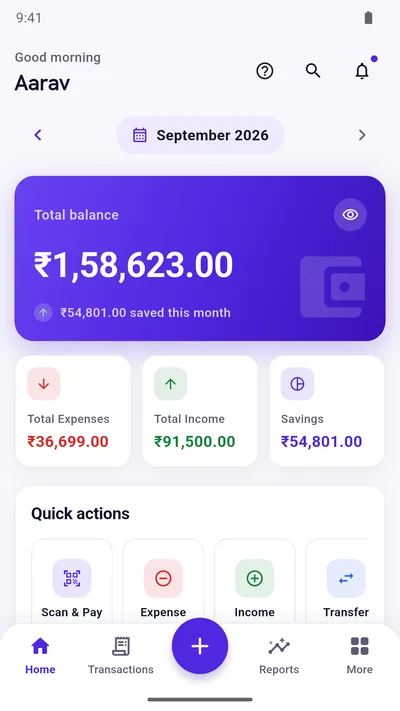
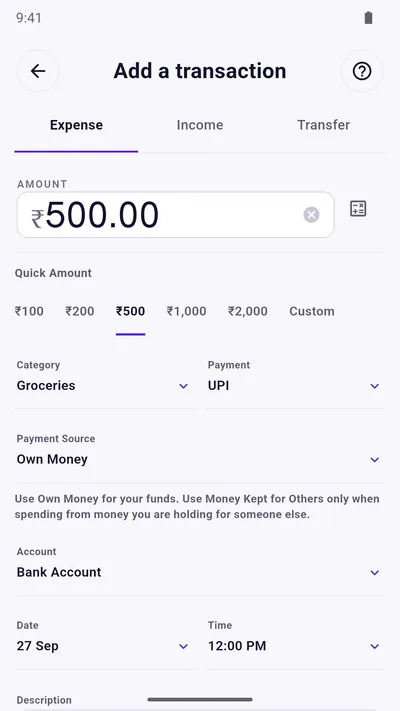
No account. No bank linking. No SMS reading. Expense Khata keeps your records in a database on your own phone, and this page explains exactly what that means, including the parts that are not perfectly private.
- Works offline
- No account
- You control backups
The short version
What stays on your phone, and what may leave it
| Stays on your phone | May leave your phone, only if you choose |
|---|---|
| Your transactions, accounts, budgets, goals and borrow-lend records | A CSV export or a backup file you create and send somewhere |
| Your settings, language and categories | A Google Drive backup, if you buy Premium and sign in |
| Your PIN (if you set one) | A report or summary you share from the app |
Works without internet
Adding, editing, budgets, reports and insights all run on the phone. You can use it on a flight or with no data pack.
No account, ever
There is nothing to sign up for and no email address to give. Your data is not tied to an identity on our side because we do not hold it.
No SMS or bank access
The app does not read your messages and does not connect to banks. Entries are added by you.
Lock it (Premium)
Add a PIN and fingerprint lock so someone picking up your phone cannot open your records.
You decide about backups
Keep a local backup, export CSV, or use Google Drive backup with Premium. Nothing is uploaded automatically to us.
Delete means delete
Clear the app’s data or uninstall and the records on the phone go with it. Copies you exported are yours to manage.
Being honest about it
What “private” does not mean here
The free version shows ads. Ads come from Google AdMob, which may process device and ad-interaction data under Google’s own policies. Buying Premium removes ads.
Purchases go through Google Play. Premium is bought and verified by Google Play Billing.
Local storage means you carry the risk. If your phone is lost or reset and you have no backup, your records are gone. That is why backup and CSV export exist. There is no automatic sync between phones.
Your phone’s lock still matters. An in-app PIN is a second layer, not a replacement for a screen lock.
The full detail is in the privacy policy. For a longer explanation of the idea, read what “local-first” means for a finance app.
Questions
Good to know
Does Expense Khata need internet?
No. All tracking, budgets, reports and insights work offline. The free version needs a connection only to load ads.
Do you store my financial data on a server?
No. Your records live in the app on your phone. We do not operate a server that holds them.
What happens if I lose my phone?
If you have a backup or a CSV export, you can restore your records on a new phone. Without one, the data cannot be recovered, so back up regularly.
Does it sync between my phone and tablet?
Not automatically. You can move data with a backup or a CSV export and import.
Start with today’s spending.
Free on Google Play. No sign-up, and your records stay on your phone.
Android 7.0 or newer. Free with ads; Premium is an optional one-time purchase.